SteadySplats: Resampling of Low-Variance Gaussians for High-Fidelity Stochastic Rendering

* Both authors contributed equally to this work

1 Graz University of Technology   2 NVIDIA   3 Google DeepMind   4 University of Copenhagen

Through optimized training and inference, our stochastic renderer achieves significantly better image quality than prior art with the same number of random samples, making single-sample rendering viable for applications that demand high quality and extremely high frame rates.

Color Variance Regularization

Stochastic rendering draws each Gaussian along a view ray with probability equal to its blending weight, so the noise of a single sample is the variance of the colors along that ray. Standard 3DGS training, however, matches the ground truth by blending Gaussians of disparate colors. We therefore add a color variance term Lvar to the training loss, which encourages all Gaussians that splat onto the same pixel to share the same color, without any change to the renderer.

Stochastic Splats Explorer

Each pixel shows the color of a single Gaussian, drawn with probability equal to its blending weight; a new sample is drawn every second. The left half shows a model trained without regularization (λvar = 0), the right half one trained with λvar = 2. Hover over or tap the image to inspect a pixel: the side panels show its color variance Lvar, the probability of each Gaussian's color and the converged color. Click to lock a pixel, drag the divider to compare, and press Space to pause.

Scene:
Loading Distribution Data...
Lvar = 0.4735
λvar = 0
λvar = 2
Paused
Locked
Lvar = 0.0045

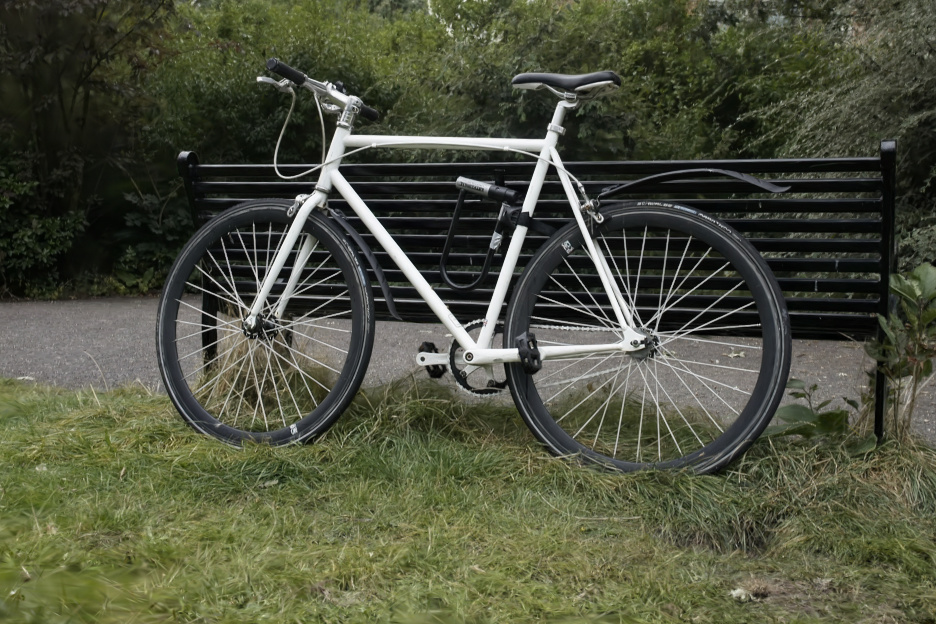
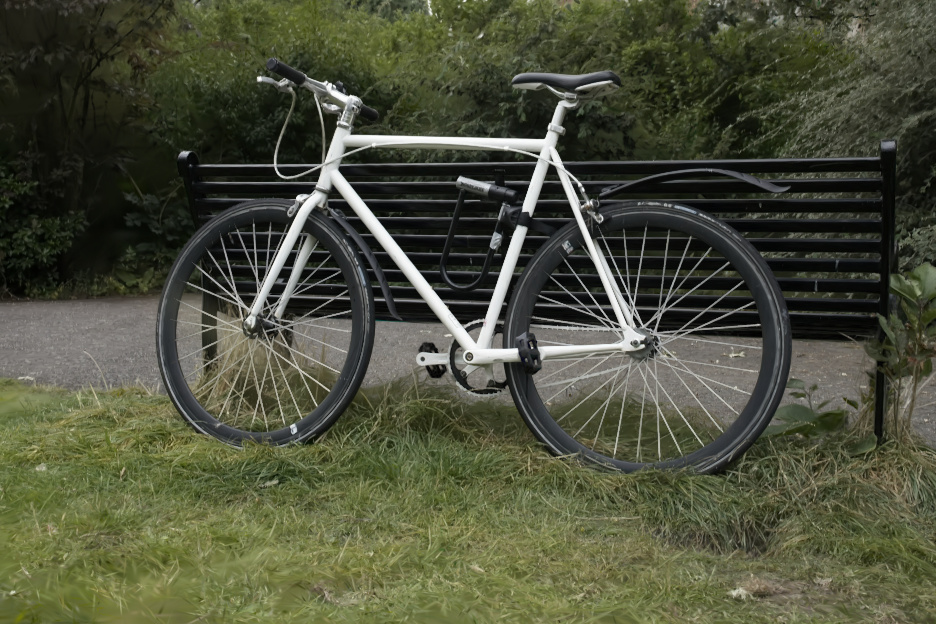
Rendered stochastically with one sample per pixel, the regularized model is far less noisy (left), while its quality with sorted α-blending is nearly unchanged (right).
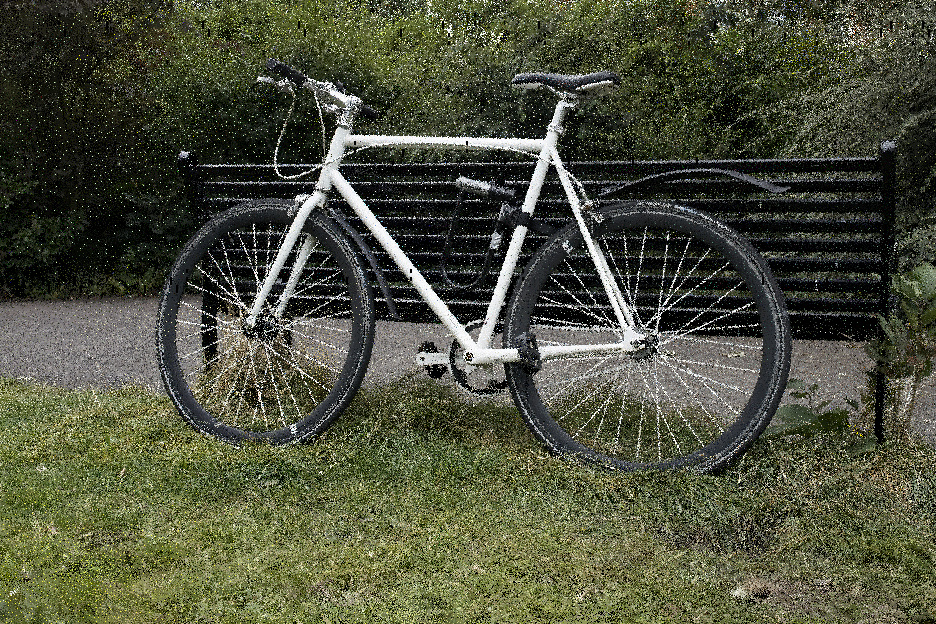
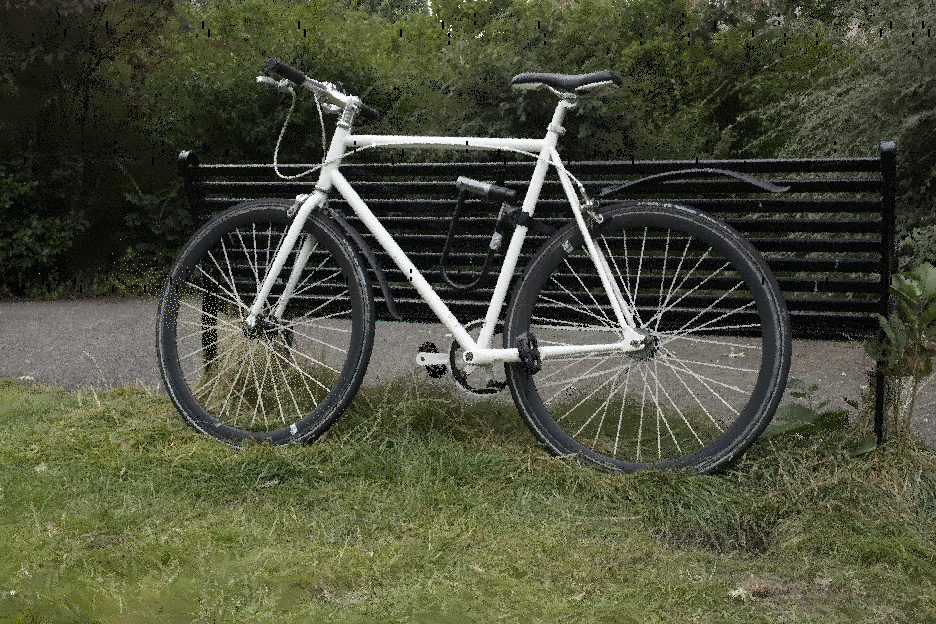
λvar = 0 λvar = 1

Stochastic, 1 sample per pixel

λvar = 0 λvar = 1

Sorted α-blending

History-Based Spatial Resampling

Neighboring pixels see similar color distributions, so each sample can also serve its neighbors. Plain averaging blurs the image; instead, we weight every reused sample by how likely it is at the target pixel relative to its source pixel, which keeps the introduced bias minimal. The occlusion part of these weights would normally require sorting. Since a model trained with Lvar has very few relevant occluders per pixel, we approximate it from a small buffer of the K most recent samples at each pixel.

Why Spatial Resampling Works

Two neighboring pixels A and B usually see similar, but not identical color distributions (\(p_A \approx p_B\)). With one sample per pixel, both are noisy. With resampling, each pixel also reuses its neighbor's sample, weighted by how likely that sample is at the pixel compared to the neighbor (\(w_{B \rightarrow A} = p_A(s_B) / p_B(s_B)\)). Each pixel thus averages two samples instead of one, while samples that are unlikely at the pixel, e.g. from across an edge, get low weights and do not blur it.

Color Distributions Reference
\(p_A(c)\)
A
B
Means \(\mu_A, \mu_B\)
\(p_B(c)\)
Error: 0.0
One Sample per Pixel No Resampling
A
B
Samples \(s_A, s_B\)
Mean error: --
Resampling Weights Likelihood Ratio
\(w_{B \rightarrow A} = \frac{p_A(s_B)}{p_B(s_B)}\) = --
\(w_{A \rightarrow B} = \frac{p_B(s_A)}{p_A(s_A)}\) = --
Likelihood ratio: \(p_{\text{target}} / p_{\text{source}}\)
Spatially Resampled Own + Reused Sample
A
B
Weighted means \(c_A^{\text{res}}, c_B^{\text{res}}\)
Mean error: -- --

Spatial Resampling Explorer

Garden rendered stochastically with one sample per pixel over 32 frames. Hover over or tap the image to inspect a pixel: the panels show the sample it draws in the current frame, the K = 4 past samples in its K-buffer, and how both set the weights with which its 4 neighbors reuse the sample. Click to lock a pixel, step through the frames with the slider or the arrow keys, and press Space to play.

Loading...
Locked
Spatial Resampling Neighborhood
Sampled Colors 0.000 0.000 0.000 0.000 0.000 0.000 0.000 0.000
Spatial
Reuse
Resampled Colors
\(\hat{C}_{x,y} = \frac{\sum_n w_{n \rightarrow x,y} \, c_n}{\sum_n w_{n \rightarrow x,y}}\)
Frame 1 / 32
View: Insert slot: #0 PSNR: --
New Sample
How much more or less opaque is the sampled Gaussian at the neighboring pixels?
Sample \(c_r\) RGB(---)
Depth \(z_r\): ---
Gaussian ID: ---
Opacity \(\alpha_{x,y}\): ---
Neighbor Sampling

The projected 2D Gaussian is also sampled for each neighbor pixel, as the likelihood of it being sampled there is proportional to its \(\alpha\).

\(\alpha_n\)
---
---
---
---
---
÷
\(\alpha_{x,y}\)
---
=
\(\alpha_n / \alpha_{x,y}\)
---
---
---
---
---
×
Past Samples
How much more or less is the sampled Gaussian occluded at the neighboring pixels?
#0---
ID: ---
\(z\): ---
---
---
---
---
---
×
#1---
ID: ---
\(z\): ---
---
---
---
---
---
×
#2---
ID: ---
\(z\): ---
---
---
---
---
---
×
#3---
ID: ---
\(z\): ---
---
---
---
---
---
=
\(\prod_{k \in K,\, z_k < z_r} o_{k \to n}\) 0 Occ
---
---
---
---
---
=
How much more or less likely is the sampled Gaussian to be drawn at the neighboring pixels?
That likelihood has two factors:
  • Gaussian opacity (New Sample): how opaque the Gaussian is at the neighbor relative to the pixel (\(\alpha_n / \alpha_{x,y}\)).
  • Occlusion (Past Samples): how much the closer Gaussians in the K-buffer (\(z_k < z_r\)) occlude it at the neighbor relative to the pixel (\(\prod o_k\)). Important occluders also have high sample probability, which makes past samples on the same pixels importance samples for important occluders.
Resampling Weights
\(w_{x,y \rightarrow n}\)
---
---
---
---
---

Convergence

Accumulating samples over frames, resampling improves the image right away: with a single sample per pixel, it gains 4.8 dB PSNR over plain averaging. A uniform cross-shaped blur removes noise similarly at first, but plateaus at around 29.5 dB, as it blends across depth edges, while our depth- and transmittance-aware weights keep edges sharp. Select a sample count in the plot to compare the images, and drag the dividers.

Error over Samples per Pixel
Samples:
Raw average: -- Ours: -- Cross blur: --
\(S = \) 32 samples per pixel
Raw sample average
Raw Average
Ours
Ours
Cross blur average
Cross Blur

After 128 samples per pixel, a fixed blur kernel plateaus at a blurry, biased result, while our reuse keeps converging to sorted 3DGS.

Gaussian blur Ours (K = 4)

ℓ1 error

A Match Made in Heaven

Variance regularization and resampling reinforce each other: with Lvar, fewer Gaussians contribute to each pixel, so the occluders stored in the K-buffer match those of the neighboring pixels more closely and the resampling weights become more accurate. On these views, the combination improves the PSNR of a single sample per pixel by 7.2 to 9.7 dB over plain stochastic rendering. Drag the center handle to compare the four variants.

Scene:
Without variance regularization, without resampling
No Var RegStochastic
Without variance regularization, with resampling
No Var Reg+ Resampling
With variance regularization, without resampling
+ Var RegStochastic
SteadySplats: with variance regularization and resampling
+ Var Reg+ Resampling

Spatio-Temporal Resampling

Color distributions are also coherent over time. Under mild assumptions, full spatio-temporal resampling reduces to a recursive exponential moving average along the motion trajectory. Instead of clamping the history color or resetting it at depth changes, we lower the weight of outlier history, which avoids both ghosting and popping.

Comparisons under Camera Motion

Compare our full method (left) with StochasticSplats, Gaussian Point Splatting and sorted 3DGS (right) along camera paths. All stochastic methods render one sample per pixel and frame and accumulate the samples over time, each under their respective temporal filter. Drag the vertical divider to compare, and use the buttons to switch the method and the scene.

Comparison method:
Scene:

Spatio-Temporal Blue Noise

Our renderer keeps a Gaussian at a pixel if a random threshold, drawn anew each frame, lies below its opacity, and the closest kept Gaussian colors the pixel. With white noise thresholds, the kept samples form clumps and holes, while spatio-temporal blue noise spreads them evenly over neighboring pixels and over frames. A single frame has the same error either way, but the evenly spread noise looks much smoother, and averaging over frames, as our temporal reuse does, removes it much faster. Sharing one blue noise texture between all Gaussians would correlate overlapping ones: the teal Gaussian is then only kept where the orange one in front of it is kept as well, so it never shows through. We therefore offset the texture per primitive.

White noise 
Blue noise, shared 
Blue noise per primitive (ours) 
Referenceexact α-blending
1 frame averaged
View:

On a real scene, averaged over 5 frames without reuse, blue noise gives a visibly smoother image.

White noise Blue noise

Results

We evaluate on 21 camera paths across 7 Mip-NeRF 360 scenes (3,152 frames) against sorted α-blending as ground truth, measuring image quality and temporal stability (tPSNR). The best value is shown in bold on dark green, the second best on light green.

Camera Path Benchmark

Method Avg. PSNR (dB) ↑ SSIM ↑ LPIPS ↓ tPSNR (dB) ↑ PSNR (dB) ↑
Indoor Outdoor
StochasticSplats 18.3360.2930.66715.23519.56216.701
StochasticSplats + Temporal 21.9540.5520.52419.45023.31320.141
Ours 31.4370.8450.345 28.41032.97829.381
Ours + Temporal 35.0850.9370.209 32.44937.16132.318

Component Ablation

Lvar Spatial Reuse Temporal Reuse tPSNR (dB) ↑ SSIM ↑ LPIPS ↓ Avg. PSNR (dB) ↑
——— 15.2350.2930.66718.336
—✓— 21.7200.5860.49824.774
——✓ 22.2040.6190.52225.227
—✓✓ 27.1880.8170.36529.946
✓—— 22.4230.6130.52525.561
✓✓— 28.4100.8450.34531.437
✓—✓ 28.9800.8630.357 31.953
✓✓✓ 32.4490.9370.209 35.085

BibTeX

@misc{windisch2026steadysplats,
  title         = {SteadySplats: Resampling of Low-Variance Gaussians for High-Fidelity Stochastic Rendering},
  author        = {Felix Windisch and Thomas K{\"o}hler and Lukas Radl and Chris Wyman and Georgios Kopanas and Bernhard Kerbl and Markus Steinberger},
  year          = {2026},
  eprint        = {2610.05576},
  archivePrefix = {arXiv},
  primaryClass  = {cs.CV},
  url           = {https://arxiv.org/abs/2610.05576}
}